3D printing has become increasingly accessible to hobbyists, designers, educators, engineers, and small businesses. What was once considered an expensive and highly specialised technology is now used for everything from creating decorative objects and personalised gifts to developing functional prototypes and educational projects.
FlashForge is a recognised name in the 3D printing industry, offering a range of desktop 3D printers, printing materials, software, and accessories. The brand focuses on making additive manufacturing accessible to different types of users, including beginners exploring their first printer and professionals who require dependable equipment for more demanding applications.
But is FlashForge worth investing in? This review explores the brand’s 3D printer range, printing performance, features, software, ease of use, pricing, maintenance requirements, and overall value.
What Is FlashForge?
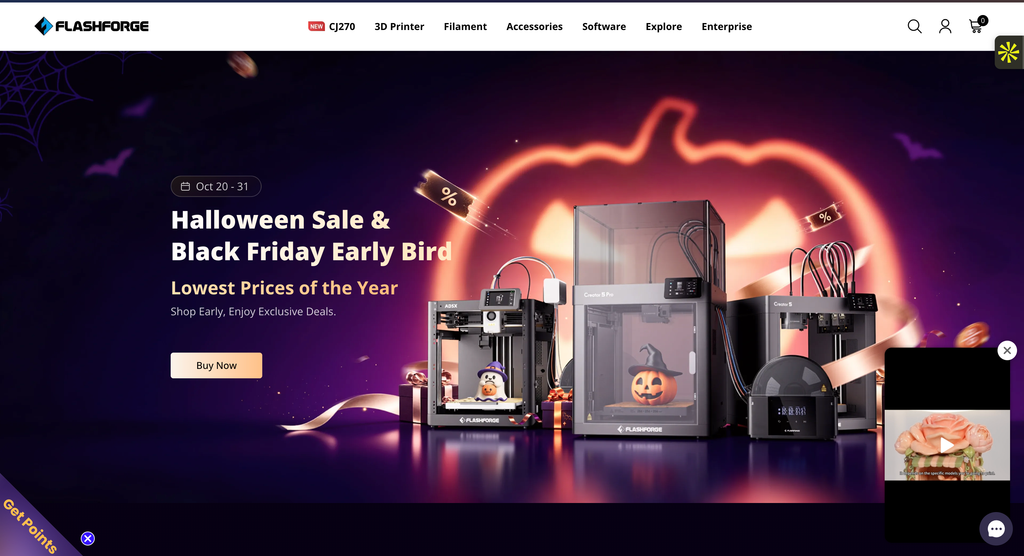
FlashForge is a manufacturer specialising in 3D printing equipment and related technologies. Its product portfolio includes consumer desktop 3D printers, educational printing solutions, and machines intended for professional and commercial applications.
The brand is particularly associated with fused deposition modelling, commonly known as FDM or fused filament fabrication. This technology creates three-dimensional objects by heating thermoplastic filament and depositing it in successive layers.
FlashForge has developed several printer families over time, including the Adventurer, Finder, Creator, and Guider ranges. Individual models differ in build volume, printing capabilities, enclosure design, supported materials, and intended audience.
The company’s products are used for activities such as hobby printing, product development, classroom demonstrations, model making, and small-scale manufacturing.
FlashForge also offers supporting software and printing materials, allowing users to build a more complete printing setup.
The exact product range and specifications change as new models are introduced. Buyers should check the official FlashForge website for current availability and technical information before purchasing.
Exploring the FlashForge 3D Printer Range
One of FlashForge’s main attractions is its selection of printers for different experience levels and applications. Choosing the right model is important because the needs of a beginner can differ significantly from those of a professional designer or engineering team.
FlashForge Adventurer Series
The Adventurer series is one of FlashForge’s best-known desktop printer families. It is designed to make 3D printing more approachable, with different models offering varying levels of automation, speed, and convenience.
Some Adventurer models feature enclosed designs, while others use more open configurations. Depending on the specific printer, available features may include automatic bed levelling, removable build plates, touchscreen controls, and connectivity options.
The Adventurer series can appeal to hobbyists, students, and users who want to print practical objects without building a machine from individual components.
For beginners, features that reduce setup and calibration work can be particularly valuable. Automatic levelling, for example, can help simplify one of the most important preparation steps, although it does not eliminate the need to maintain the printer correctly.
When comparing Adventurer models, pay attention to build volume, supported filament types, nozzle temperature, enclosure design, and available software compatibility.
FlashForge Finder Series
The Finder series has historically focused on accessible desktop 3D printing, making it relevant to educational environments and first-time users.
A beginner-oriented printer should provide a manageable introduction to the fundamentals of 3D printing, including model preparation, slicing, filament loading, and basic maintenance.
For students and hobbyists, ease of operation can be more important than having the highest possible printing speed or the largest build volume.
However, buyers should confirm which Finder models are currently available and supported. Older printer generations may differ considerably from newer products in terms of connectivity, replacement parts, and software compatibility.
If purchasing an older model or second-hand machine, check the availability of consumables and technical support before committing.
FlashForge Creator Series
The Creator series has included printers aimed at users who want more flexibility in materials and printing applications.
Certain Creator models have offered dual-extrusion capabilities, allowing users to work with two materials or colours under supported configurations. This can be useful for printing complex objects with support materials or creating designs that require multiple filament types.
However, dual extrusion introduces additional considerations, including calibration, material compatibility, nozzle maintenance, and slicing configuration.
It is important to confirm the capabilities of the exact model rather than assuming that every Creator printer offers the same features.
For designers and experienced users, the Creator range may be worth exploring when a basic single-extruder printer does not meet their requirements.
FlashForge Guider Series
The Guider family has been associated with larger or more professionally oriented 3D printing applications.
Depending on the model, these printers may offer features suited to prototyping, workshop use, or the production of larger objects.
Build volume is an important consideration for professional users because it determines the maximum dimensions of a part that can be printed in one piece.
A larger printer can accommodate more ambitious projects, but it may also require more workspace, electricity, filament, and maintenance.
Businesses considering a Guider model should evaluate the types of parts they intend to produce and whether the printer’s supported materials and specifications meet their technical requirements.
FlashForge Print Quality and Performance
Print quality is one of the most important factors when evaluating any 3D printer. A machine may offer attractive specifications, but the quality of its finished objects determines how useful it is in practice.
FlashForge printers use different hardware configurations, so performance varies between models.
Layer Resolution and Surface Finish
FDM printing works by depositing material in layers. The thickness of these layers affects the appearance of the finished object.
Smaller layer heights can produce smoother-looking surfaces and capture finer details, although they often increase printing time. Larger layer heights may be appropriate for functional prototypes where appearance is less important.
The final result also depends on nozzle diameter, filament quality, printing temperature, cooling, movement accuracy, and the design of the object.
A printer capable of fine layer heights will not automatically produce flawless results. Correct calibration and suitable slicing settings remain essential.
Printing Speed
Printing speed has become an important feature in the desktop 3D printer market. Some newer FlashForge models are designed for faster printing than earlier generations.
However, advertised maximum speeds should not be confused with the speed at which every object can be printed successfully.
Complex geometry, overhangs, material characteristics, and desired surface quality may require slower settings.
For example, a decorative object with fine details may benefit from a more conservative speed, while a simple functional component may be suitable for faster printing.
When comparing printers, consider realistic printing performance rather than relying exclusively on the highest speed mentioned in the specifications.
Accuracy and Consistency
Dimensional accuracy matters when printing parts that need to fit together, such as brackets, enclosures, mechanical components, or prototype assemblies.
A printer’s consistency depends on mechanical stability, calibration, material behaviour, and environmental conditions.
FlashForge printers can be used for functional printing, but buyers should understand that desktop FDM printing has limitations. Printed parts may shrink, warp, or require post-processing, particularly when using certain materials.
For precision-sensitive projects, it is advisable to print test pieces and adjust the design or settings before producing the final component.
Ease of Use for Beginners
FlashForge offers several products intended to simplify the 3D printing process, making the brand relevant to people purchasing their first printer.
A beginner-friendly machine should reduce unnecessary complexity while still allowing users to understand the fundamentals of additive manufacturing.
Setup and Installation
The initial setup process depends on the printer model. Some machines arrive largely assembled, while others require additional preparation before printing.
Typical setup steps include positioning the printer, checking the build plate, loading filament, completing calibration, and installing compatible slicing software.
Before starting, read the model-specific instructions and confirm that the printer is placed on a stable surface with adequate ventilation.
Although automated features can make setup easier, beginners should still learn how to identify common problems such as poor first-layer adhesion, incorrect nozzle temperature, and filament feeding issues.
Automatic Bed Levelling
Bed levelling is essential for successful FDM printing because the first layer must adhere properly to the build surface.
Some FlashForge printers offer automatic levelling features that help compensate for differences across the build plate.
This can reduce the time spent on manual adjustment, especially for users who are unfamiliar with printer calibration.
However, automatic levelling does not guarantee perfect adhesion. A clean build plate, suitable temperature, correct nozzle offset, and appropriate material settings remain important.
User Interface and Controls
Depending on the model, FlashForge printers may include touchscreen interfaces, onboard controls, or connectivity features that allow users to manage printing tasks.
A clear interface can make everyday activities such as loading filament, adjusting settings, and monitoring print progress more convenient.
When comparing models, consider how easily you can access frequently used functions and whether the available controls match your preferred workflow.
For shared environments such as classrooms, simple controls may also help reduce operator errors.
FlashForge Software and Slicing Experience
A 3D printer requires slicing software to convert a digital model into instructions the machine can follow.
FlashForge has offered its own slicing software, including FlashPrint, and some models support other compatible software solutions or model-specific workflows.
The software is an important part of the overall experience because it controls settings such as layer height, print speed, infill density, supports, and material temperatures.
Preparing Models for Printing
The typical process begins with a digital 3D model, often saved in a format such as STL or 3MF.
The model is imported into compatible slicing software, where the user selects the printer, positions the object, and chooses printing settings.
The software then generates the instructions needed to produce the object.
For beginners, predefined material profiles can make this process easier. More experienced users may prefer greater control over temperature, movement, cooling, and support settings.
Before purchasing a printer, confirm that its supported software works with your computer’s operating system and provides the features you need.
Software Compatibility
Software compatibility is particularly important for users who already have an established 3D printing workflow.
Some printers work with widely used slicers, while others may require specific software, profiles, or configuration steps.
The exact compatibility depends on the FlashForge model and firmware.
Buyers should verify whether their preferred slicing software supports the printer and whether any additional configuration is necessary.
For professional environments, also consider file management, network requirements, and the ease of transferring jobs between computers and printers.
Supported Filaments and Materials
Material compatibility is a major factor when choosing a 3D printer.
Different thermoplastic filaments offer different characteristics, including strength, flexibility, temperature resistance, and ease of printing.
PLA Filament
PLA is one of the most common materials used in desktop 3D printing.
It is popular with beginners because it generally prints at relatively moderate temperatures and is suitable for decorative objects, prototypes, models, and many everyday projects.
PLA is a practical starting point for users learning how to prepare models and adjust printing settings.
However, it is not suitable for every application. Parts exposed to high temperatures or demanding mechanical conditions may require alternative materials.
PETG Filament
PETG is another commonly used material that can provide a useful balance of durability and printability.
It is often considered for functional parts, containers, brackets, and other applications where users want different properties from standard PLA.
However, PETG can require different temperatures and settings, and successful printing depends on the machine’s capabilities.
Before using it, confirm that the selected FlashForge model supports the material and that the appropriate nozzle and build-surface settings are available.
ABS and Other Engineering Materials
Some users require materials with greater heat resistance or different mechanical characteristics.
ABS and certain engineering filaments can be useful for specialised applications, but they may be more difficult to print and can require controlled temperatures, an enclosure, and suitable ventilation.
Not every FlashForge printer supports these materials.
Check the manufacturer’s specifications for the exact model, including maximum nozzle temperature, heated-bed capability, enclosure design, and any recommended accessories.
Material safety is also important. Printing certain filaments can release particles and volatile compounds, so appropriate ventilation and exposure controls should be considered.
FlashForge for Education
3D printing can be a valuable educational tool because it allows students to turn digital ideas into physical objects.
FlashForge printers may be suitable for schools, colleges, makerspaces, and training environments, depending on the model and the level of supervision available.
Students can use 3D printing to explore design thinking, engineering concepts, geometry, product development, and practical problem-solving.
For example, a classroom project might involve designing a simple mechanical component, creating a model in CAD software, and printing a physical version to test its fit and function.
The educational value comes from the complete process, including designing, testing, identifying errors, and improving the model.
When selecting a printer for classroom use, consider ease of operation, safety features, maintenance requirements, noise, and the availability of replacement parts.
Enclosed designs may offer practical advantages in some environments, but they do not eliminate the need for supervision, appropriate ventilation, and safe operating procedures.
FlashForge for Small Businesses and Professionals
3D printing is also useful for small businesses that want to develop prototypes, produce customised products, or manufacture limited quantities of certain components.
FlashForge’s range includes options that may suit these applications, depending on the technical requirements.
Product Prototyping
Designers and engineers can use 3D printing to evaluate the shape, fit, and appearance of a product before committing to more expensive manufacturing methods.
This can reduce the time required to test design changes and help identify problems earlier in development.
For example, a business developing a new electronic accessory might print an enclosure to check dimensions and component placement before ordering production tooling.
However, a printed prototype may not have the same mechanical properties as a final injection-moulded or machined product. The limitations of the printing material and process should be considered during testing.
Customised Products
Small businesses may use 3D printing to create personalised objects, decorative products, organisational accessories, or made-to-order components.
The ability to modify a digital design can make it easier to offer customisation without producing large quantities of identical items.
However, commercial printing requires careful attention to production time, material costs, finishing work, quality control, and equipment maintenance.
Businesses should also ensure that they have the rights to manufacture and sell the designs they use.
Low-Volume Manufacturing
Desktop 3D printers can be useful for producing small batches of certain parts, particularly when traditional manufacturing methods would involve expensive tooling.
However, the economics depend on print duration, labour, machine utilisation, failure rates, and the quality required.
A printer that works well for occasional prototypes may not necessarily be suitable for continuous production.
Businesses considering FlashForge for manufacturing should evaluate the machine’s reliability, serviceability, replacement-part availability, and realistic output capacity before making a larger investment.
FlashForge Pricing and Value for Money
FlashForge offers printers across different price categories, from more accessible desktop machines to equipment intended for advanced or professional applications.
The cost depends on the model, hardware specifications, printing capabilities, and included accessories.
For beginners, an entry-level machine may provide enough functionality to learn 3D printing without paying for advanced features that will rarely be used.
More experienced users may find additional value in faster printing, larger build volumes, enclosed chambers, or support for a wider selection of materials.
Consider the Total Cost of Ownership
The purchase price is only one part of the cost of 3D printing.
Ongoing expenses may include filament, replacement nozzles, build plates, maintenance components, electricity, and materials used for failed prints.
Some projects also require additional tools for removing supports, finishing surfaces, or assembling printed components.
Before buying, estimate how frequently you intend to use the printer and which materials you expect to print.
A less expensive machine may be sufficient for occasional hobby projects, while a more capable printer may offer better value for frequent or demanding work.
Are FlashForge Printers Affordable for Beginners?
FlashForge is worth considering for beginners because its product range includes machines designed to make 3D printing more accessible.
However, affordability should be assessed against competing printers with similar specifications.
Compare build volume, levelling features, software compatibility, material support, and the availability of replacement parts.
A printer with a slightly higher purchase price may provide better long-term value if it reduces maintenance difficulties or offers features that make everyday use easier.
Check FlashForge’s official website for current model prices, promotions, accessories, and regional availability.
Maintenance and Long-Term Reliability
Regular maintenance is important for all FDM printers, regardless of brand.
Common tasks include cleaning the build plate, checking the nozzle, removing filament residue, inspecting moving components, and ensuring that the machine remains properly calibrated.
The frequency of maintenance depends on how often the printer is used, the materials being printed, and the design of the machine.
Nozzle and Extruder Maintenance
The nozzle and extruder are essential components because they control how filament is heated and deposited.
Over time, nozzles can wear or become clogged, particularly when printing abrasive materials or using unsuitable settings.
Users should follow the manufacturer’s cleaning and replacement instructions. Attempting to clear a blockage incorrectly can damage the hotend or create a burn hazard.
Build Plate Care
A clean build plate helps maintain reliable first-layer adhesion.
Depending on the build-surface material, cleaning requirements may differ. Follow the manufacturer’s guidance and avoid using chemicals or tools that could damage the surface.
If prints begin to detach unexpectedly, check the plate condition, levelling, temperature settings, and filament quality before assuming that the printer itself is defective.
Replacement Parts and Support
Before purchasing a FlashForge printer, investigate the availability and price of replacement components for the exact model.
Consumables such as nozzles and build plates may need replacement over time, while other components can require servicing after extended use.
For professional users, access to parts and technical assistance can be particularly important because downtime may interrupt production.
Customer Support and Warranty Considerations
Customer support matters when a printer develops a technical issue, requires replacement components, or encounters software problems.
FlashForge provides product information and support resources, but warranty coverage and service arrangements can depend on the model, purchase location, and seller.
Before ordering, review the current warranty terms and confirm which components are covered.
If purchasing through an authorised reseller, check whether warranty claims are handled directly by the reseller or through FlashForge.
Keep the purchase invoice, product details, and any relevant documentation.
It is also useful to review recent customer experiences involving the specific printer you are considering. Feedback about an older model may not accurately reflect the performance or support arrangements of a newer machine.
FlashForge Compared With Other 3D Printer Brands
FlashForge competes with several established desktop 3D printer manufacturers, including Creality, Bambu Lab, Prusa Research, and other brands serving hobbyists and professional users.
Each manufacturer offers different strengths in areas such as automation, printing speed, software, material compatibility, and ecosystem flexibility.
Some buyers prioritise easy setup and automated features, while others prefer extensive customisation and open-source compatibility.
FlashForge may appeal to users looking for a combination of accessible desktop printing and more advanced models within the same brand.
However, the best comparison is between specific printers rather than manufacturers as a whole.
For example, compare two machines with similar build volumes, supported materials, and intended applications. Then evaluate realistic print performance, maintenance requirements, software support, and total ownership cost.
This approach provides a more useful basis for choosing a printer than relying on brand reputation alone.
Who Should Consider FlashForge?
FlashForge may be worth exploring for several types of users.
Beginners and hobbyists: People who want to learn 3D printing may appreciate the brand’s accessible desktop printer options.
Students and educators: Schools and training environments can use suitable printers to support design, engineering, and creative learning.
Designers and engineers: Professionals developing prototypes may benefit from models that offer appropriate build volumes and material capabilities.
Small business owners: Businesses producing customised products or limited quantities of components may find certain FlashForge printers relevant to their operations.
Experienced makers: Users who want to experiment with different materials, designs, and printing techniques may find suitable options within the wider product range.
However, buyers requiring highly specialised industrial materials, extremely tight manufacturing tolerances, or large-scale production should carefully assess whether a desktop printer meets their requirements.
Tips for Getting the Most Out of FlashForge
Start by choosing a printer that matches your intended projects rather than simply selecting the model with the highest advertised specifications.
If you are new to 3D printing, begin with a straightforward material such as PLA and use the manufacturer’s recommended settings.
Learn the basics of bed adhesion, nozzle temperature, layer height, supports, and infill before attempting complex designs.
Keep your filament stored appropriately because moisture can affect the printing performance of certain materials.
Maintain the printer regularly and inspect the build plate and nozzle when print quality changes.
Finally, test important designs before committing to large or time-consuming prints. A small calibration object can help identify issues and reduce wasted material.
Is FlashForge Worth It?
FlashForge is worth considering if you are looking for a 3D printer for home projects, education, product development, or certain small-business applications.
Its broad product range allows customers to explore printers with different capabilities, from beginner-friendly desktop machines to more advanced systems.
The brand’s appeal lies in its combination of accessible printing options, established product families, and supporting software and materials.
However, value depends on choosing the right model. Build volume, supported filaments, print speed, software compatibility, maintenance requirements, and replacement-part availability should all influence your decision.
A printer that suits occasional hobby projects may not be the best option for continuous professional use. Likewise, a more advanced machine may be unnecessarily expensive for someone who only wants to print simple decorative objects.
Final Verdict
FlashForge offers a broad selection of 3D printers and related products for hobbyists, educators, designers, and businesses exploring additive manufacturing.
Its strongest appeal is the variety of machines available for different experience levels and applications. The brand provides options for users who want to learn 3D printing as well as those who need more capable equipment for prototyping or specialised projects.
The main considerations are model-specific performance, software compatibility, material support, ongoing maintenance, and the total cost of ownership.
Overall, FlashForge is worth considering for anyone exploring desktop 3D printing. Compare the specifications of individual models, identify the materials and project sizes you intend to work with, and review current warranty and support arrangements before purchasing. Choosing the right machine for your needs will make a greater difference than selecting a printer based on brand name or advertised speed alone.